

Imagine this scenario: It’s 9:00 AM on a Tuesday in Overland Park. Your Sales Director, let’s call her Sarah, is preparing for a critical presentation with a new client. She opens her laptop, but when she tries to access the shared drive to pull up her slide deck, she gets an error message: “Access Denied.”
In a traditional IT support model, Sarah’s heart rate spikes. She has to find the IT support phone number, sit on hold, or send an email to a generic support@ address and wait for an automated ticket confirmation. Minutes turn into an hour. The presentation looms closer, and she is still waiting in a digital line.
This “micro-downtime” is the silent productivity killer in businesses across the Kansas City metro area. It’s not a massive server crash or a ransomware attack; it’s the friction of small, everyday hurdles that stop employees in their tracks.
But what if Sarah could click a small icon on her taskbar and say, “Hey, I’m locked out of the drive,” and receive a fix from a live human within 90 seconds?
This is the power of Desktop Chat Support. While chat tools are common for customer service on e-commerce sites, their application for internal employee IT support is transforming how modern businesses operate.
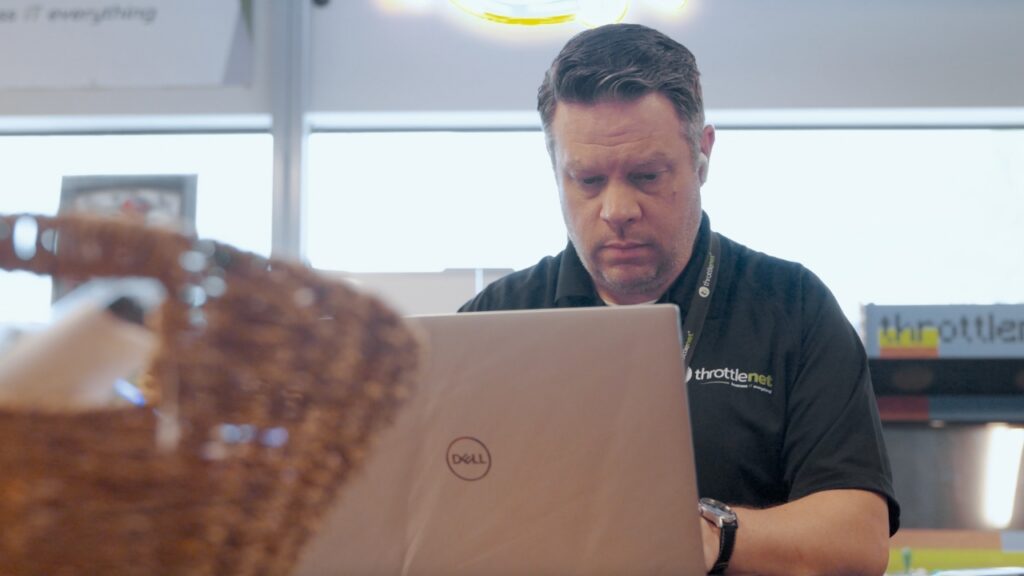
The Evolution of the Help Desk: Beyond the Ticket Number
For decades, the “Submit a Ticket” model has been the standard for IT support. While effective for tracking complex projects, it is often inefficient for the quick, rapid-fire questions that make up the bulk of an employee’s day.
Traditional ticketing systems feel like mailing a letter; Desktop Chat Support feels like tapping a colleague on the shoulder.
For Kansas City businesses striving to stay competitive, moving away from the “take a number” mentality toward an “instant answer” model is crucial. It changes the dynamic between employees and technology. Instead of fearing IT issues because of the impending wait time, staff feels supported and agile.
What Actually Is Desktop Chat Support? (And What It Isn’t)
Before diving into the benefits, it is important to clarify what this technology actually is, as there are many misconceptions.
- What it IS: A secure, dedicated application installed on your company’s computers. It connects your employees directly to a team of IT technicians—ideally local experts who know your network map and security protocols.
- What it ISN’T: It is not a generic “sales bot” that pops up on websites asking if you want to buy a car. It is not an automated FAQ loop that refuses to let you speak to a human.
Effective desktop chat support combines the speed of instant messaging with the technical authority of a help desk.
10 Everyday IT Headaches Solved in Seconds (Not Hours)
The true value of desktop chat isn’t just in the technology itself, but in the specific, mundane problems it solves instantly. By removing the barrier to entry for support, employees are more likely to ask for help immediately rather than struggling in silence or trying (and failing) to fix things themselves.
Here are the most common “quick wins” that chat support resolves efficiently:
1. The Password Reset
The Old Way: Employee emails support. Support replies 20 minutes later asking for verification. Employee replies. 45 minutes lost.The Chat Way:
Employee: “I’m locked out of my accounting software.” Technician: “I see that. Verifying your identity now… Okay, I’ve reset it. Try ‘TemporaryPass123’ and set a new one.” Time: 90 seconds.
2. Printer Connection Errors
Printers are notoriously fickle. Rather than waiting for a technician to drive to your office in Lee’s Summit, a chat technician can remotely access the computer, restart the print spooler, and clear the queue while the employee grabs a coffee.
3. “Where is that file?”
Navigating new server structures or cloud migrations (like SharePoint or OneDrive) can be confusing. A quick chat allows a technician to paste the direct file path or URL immediately.
4. Software “How-To” Questions
Sometimes nothing is “broken,” but an employee is stuck.
Employee: “I can’t find the ‘Export to PDF’ button in this new version of Excel.” Technician: “Go to File > Save a Copy > select PDF from the dropdown. Here is a screenshot.”
5. Suspicious Email Checks (Phishing)
This is a critical security feature. If an employee receives a weird email, they can take a screenshot and paste it into the chat instantly asking, “Is this real?” Immediate verification prevents ransomware attacks before they happen.
6. VPN and Remote Access Issues
For hybrid teams working from home in Lenexa or Liberty, VPNs can be temperamental. Chat support allows for real-time troubleshooting of connection settings without the difficulty of trying to describe technical error messages over the phone.
7. Slow Performance Diagnostics
If a computer is lagging, a user can ping support. The technician can instantly look at background processes, kill the resource-hogging application, and free up memory.
8. Microsoft 365 / Google Workspace Glitches
Syncing issues between desktop apps and the cloud are common. These are often quick registry fixes or setting toggles that a technician can handle in the background via chat.
9. New User Setup Questions
Onboarding a new hire involves dozens of small hurdles. Chat gives them a “lifeline” so they don’t feel like a burden on their manager for every small login question.
10. Mobile Device Syncing
Getting company email on a new iPhone or Android device is often tricky for users. A chat technician can walk them through the settings step-by-step in real-time.
The Hidden ROI of “Instant” for Kansas City Businesses
Why does speed matter? It comes down to the Return on Investment (ROI) of your payroll.
If you employ 20 people, and each person loses just 30 minutes a week struggling with technology or waiting on a ticket, that is 10 hours of lost productivity per week. Over a year, that is 500+ hours of salary paid for people to sit and wait.
By utilizing a support model that prioritizes speed—like ThrottleNet’s average 90-second response time—you are effectively buying back those hours.
Furthermore, there is a psychological component. When support is painful, employees try to “Shadow IT”—using unauthorized tools or workarounds to solve problems themselves, which introduces security risks. When support is instant and painless, they follow protocol.
Chat vs. Ticket vs. Phone: When to Use Which?
While desktop chat is a powerful tool, it doesn’t replace every other form of communication. A mature IT strategy uses the right channel for the right problem.
| Channel | Best Use Case | Expected Resolution |
|---|---|---|
| Desktop Chat | Password resets, software questions, error messages, quick troubleshooting. | Immediate (Minutes) |
| Phone Support | Internet outages (when you can’t get online to chat), complex emergencies, hardware failure. | High Priority |
| Email/Ticketing | New employee setup requests for next week, long-term project planning, procurement requests. | Scheduled (Hours/Days) |
What to Look for in a Provider
Not all chat support is created equal. If you are evaluating Managed Service Providers (MSPs) in the Midwest, be wary of “chat” that is simply a routed message to an overseas call center.
To get the true productivity benefits, look for:
- Local Alignment: Technicians who understand the specific context of Kansas City business infrastructure.
- No “Tier 1” Gatekeepers: The chat should connect you to someone who can fix the problem, not just someone who takes your name and creates a ticket for you.
- Security Integration: The chat tool itself should be secure and encrypted, ensuring that sensitive data shared during troubleshooting remains protected.
Technology should accelerate your business, not pump the brakes. For decision-makers in Kansas City, moving to a support model that utilizes Desktop Chat represents a shift from reactive “break-fix” waiting games to proactive, continuous productivity.
When Sarah in Overland Park can get her drive access fixed in 90 seconds, she makes her presentation on time, the client is happy, and the business moves forward. That is the power of instant answers.
***
Frequently Asked Questions (FAQ)
Q: Is desktop chat support just an automated robot?
A: It shouldn’t be. Quality Managed IT providers use chat as a channel to connect you to real, live human technicians. While some providers use bots for triage, the best practice is direct human connection to solve complex issues.
Q: Is it secure to share passwords over chat?
A: You should never share passwords in plain text. However, secure enterprise chat tools allow technicians to send secure identity verification requests or remote password reset links without the user ever typing their credentials into the chat window.
Q: What if my internet is down? Can I still use chat?
A: Since desktop chat relies on an internet connection, a total network outage is the one scenario where picking up the phone is necessary. However, for the 99% of IT issues that aren’t total internet outages, chat is faster.
Q: Does this replace my internal IT guy?
A: Not necessarily. For companies with internal IT staff, desktop chat from a co-managed partner can handle the day-to-day “noise” (passwords, printers), freeing up your internal IT lead to focus on strategy, upgrades, and high-level projects.

