

Imagine it is 2:00 PM on a Tuesday. Your distribution center or medical practice in Blue Springs is humming along. Suddenly, the silence of a halted operation takes over. The server room has gone quiet, or perhaps there is the faint, acrid smell of overheated electronics.
You call your IT support. If they are a purely remote service, they might ask you to restart the machine or check the software logs. But you know—and they should know—that no amount of remote clicking is going to fix a melted motherboard or a severed fiber optic cable.
In an era where “cloud computing” and “remote work” dominate the headlines, it is easy to fall into the trap of thinking physical, boots-on-the-ground IT support is a relic of the past. The reality, however, is quite the opposite. For businesses in Blue Springs—from manufacturing plants relying on heavy machinery to law firms securing sensitive client data—the physical infrastructure is the bridge to that digital world. When the bridge breaks, you need someone there to fix it.
This guide explores the critical gap between what remote tools can achieve and where physical, on-site intervention becomes the only way to save the business day.
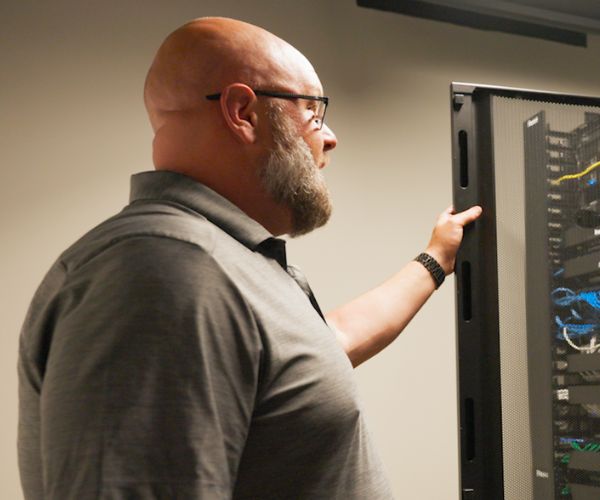
The Digital Limit: Why Remote Support Isn’t Always Enough
Remote IT support is incredible. At ThrottleNet, we pride ourselves on solving 93% of tickets the same day, often remotely. It is the fastest way to handle password resets, software glitches, and email configuration.
However, remote support relies on one critical assumption: The device is turning on and connecting to the internet.
If a device cannot power up or cannot reach the outside world, a remote technician is effectively blind. This is the “Physical Gap.” For a business owner, understanding this gap is the difference between a 30-minute interruption and a 3-day shutdown.
The Hybrid Reality
Modern IT isn’t about choosing between remote or on-site; it’s about having a partner who seamlessly switches between the two. Think of it like healthcare: Telehealth is efficient for a diagnosis or a prescription refill, but you cannot set a broken bone over a video call. Similarly, you cannot physically replace a fried firewall over a Zoom session.
5 Critical Scenarios Demanding On-Site IT Support
Through our work across the metro area, we have identified five specific situations where a physical presence in Blue Springs isn’t just a luxury—it is an operational necessity.
1. Critical Hardware Failure & Server Crashes
Software can be patched; hardware must be replaced. When a server’s hard drive seizes or a power supply unit fails, the system is dead in the water.
- The Scenario: Your primary file server shuts down and won’t restart.
- The On-Site Value: A technician arrives with the necessary parts (or the expertise to diagnose the exact part needed), opens the chassis, replaces the component, and verifies the physical integrity of the machine. They ensure cables are reseated and fans are spinning before leaving.
2. Network & Connectivity Physical Damage
Blue Springs is no stranger to Midwest storms or construction mishaps. Physical damage to your network infrastructure is a common cause of hard outages.
- The Scenario: A power surge fries your main switch, or a remodeling contractor accidentally cuts through a CAT6 cable in the wall.
- The On-Site Value: Remote support shows “Offline.” An on-site engineer traces the cables through the ceiling or walls, tests the lines with physical fluke meters, and re-terminates the connections or replaces the burnt-out switch immediately.
3. Physical Security & Infrastructure Upgrades
Cybersecurity isn’t just antivirus software; it’s also about who can physically access your data.
- The Scenario: You are upgrading your office security with new IP cameras, door access controls, or a biometric scanner for the server room.
- The On-Site Value: This requires mounting hardware, running cabling through plenums, and configuring the physical network to segregate security traffic from your business data. This is a construction project as much as an IT project.
4. Office Moves & New Equipment Deployments
Expanding to a new suite or opening a second location in the metro area? Moving technology is high-risk.
- The Scenario: You need to move 20 workstations and a server rack to a new office down the road.
- The On-Site Value: “Lift and shift” services ensure that machines are shut down properly, transported safely, and set up with clean cable management. A tech ensures that the printer maps to the right network and the Wi-Fi covers every corner of the new space before your employees sit down.
5. High-Stakes Disaster Recovery
When the worst happens—fire, flood, or massive ransomware lockout—remote restoration might be too slow due to bandwidth limits, or impossible if the hardware is compromised.
- The Scenario: A localized flood damages your on-premise backups.
- The On-Site Value: A team arrives to extract hard drives, set up temporary loaner hardware, and manually load backups from an off-site physical drive to get you operational in hours rather than days.
Myth vs. Reality: The “Cloud” Misconception
A common objection we hear from business owners is, “We moved everything to the cloud, so we don’t need on-site support anymore.”
The Reality: The cloud is just someone else’s computer that you access via your internet connection. To reach the cloud, you still need:
- A modem and firewall (Physical)
- Network switches (Physical)
- Wi-Fi Access Points (Physical)
- Laptops and Desktops (Physical)
If your office internet hardware fails, the cloud is perfectly safe, but your team in Blue Springs cannot reach it. You are stranded. On-site support ensures the gateway to the cloud remains open.
Checklist: Do You Need an On-Site Technician?
Not sure if your current issue requires a truck roll? Use this quick triage checklist. If you answer “Yes” to any of these, you likely need hands-on support.
- Is there a physical symptom? (Smoke, burning smell, loud grinding noise, or flashing red lights on equipment).
- Is the device totally dead? (Pressing the power button results in absolutely no lights or fan movement).
- Is the internet down for the entire building? (And rebooting the modem didn’t fix it).
- Did a physical event occur? (Power outage, lightning strike, water leak, or dropped equipment).
- Are you adding new physical assets? (New printers, new employees needing workstations set up, new Wi-Fi points).
Why Local Response Time Matters for Blue Springs
When a server goes down, every minute costs money. For Blue Springs businesses, partnering with a Midwest-based firm like ThrottleNet means the technicians are local. We aren’t dispatching a stranger; we are deploying a team member who knows the area, knows your infrastructure, and is incentivized to resolve the issue because their success is tied to your satisfaction.
While our 90-second average response time usually handles immediate triage remotely, knowing that a fleet of vehicles is ready to deploy when the physical hardware fails provides a layer of insurance that software alone cannot offer.
Frequently Asked Questions (FAQ)
Q: Does on-site support cost extra compared to remote support?
A: It depends on your provider. Break-fix companies charge high hourly rates for travel and labor. Managed Service Providers (MSPs) like ThrottleNet often include on-site maintenance and support within a flat-rate agreement, preventing surprise bills.
Q: Can’t I just hire an internal IT person for this?
A: You can, but it is expensive. Hiring a full-time employee for on-site support means paying salary, benefits, and training. Co-managed IT is a middle ground, where your internal person handles daily tasks, but a partner like ThrottleNet handles complex infrastructure and vacation coverage.
Q: How do I know if it’s a hardware or software issue?
A: Sometimes you can’t tell. A good help desk will troubleshoot remotely first. If they cannot ping the device or see it on the network, they will escalate it to an on-site ticket immediately.
Q: Do I need on-site support if I have a warranty on my computers?
A: Manufacturer warranties (like Dell or HP) usually cover the part, but not the labor to reinstall your software, configure your network settings, or get your data back. On-site IT support handles the entire restoration, not just the hardware swap.
Technology is magical until the moment the magic smoke comes out of the back of the computer. For businesses in Blue Springs, the distinction between “remote” and “on-site” isn’t just technical—it’s operational.
While 95% of your IT issues can likely be solved by a brilliant engineer sitting at a desk in St. Louis or Kansas City, that remaining 5%—the burnt wires, the dead drives, the office moves—requires a physical partner. By ensuring your IT strategy includes robust on-site capabilities, you aren’t just buying repairs; you’re buying business continuity.
Don’t wait for a hardware failure to find out if your IT support has boots on the ground. Assess your physical infrastructure today and ensure you have a partner ready to answer the call.

