

Imagine this scenario: It’s 2:00 PM on a Tuesday. Your distribution center in North Kansas City is humming, orders are being processed, and trucks are loading. Suddenly, the main server creates a whirring noise, followed by an ominous silence. The screens go black. The internet light on your primary modem blinks an angry red.
You call your IT support line. A polite voice asks you to “download a remote access tool.” You stare at the blank screen, realizing they can’t remote into a computer that won’t turn on, and they can’t troubleshoot a network that doesn’t exist.
This is the “remote gap”—the critical space between what can be fixed via the cloud and what requires human hands, tools, and physical presence.
While the world has moved toward virtual solutions, physical hardware still powers our digital lives. For businesses in the Kansas City metro area, understanding the balance between rapid remote fixes and critical onsite support isn’t just a technical detail; it’s a financial necessity.
The “Remote First” Reality (And Its Limitations)
In the modern IT landscape, efficiency is king. Top-tier Managed Service Providers (MSPs) aim to resolve the vast majority of issues remotely. In fact, industry leaders (like ThrottleNet) often resolve up to 93% of tickets the same day without ever stepping foot in your office.
This is excellent for software glitches, password resets, email configuration, and cloud file access. It’s fast, cost-effective, and keeps your employees productive.
However, relying exclusively on remote support is like having a doctor who only does telemedicine. It works for a cold, but it won’t help if you need a cast for a broken leg.
The Financial Impact of “Virtual-Only”
The cost of assuming everything can be fixed remotely is steep. Research indicates that IT downtime costs small to mid-sized businesses anywhere from $137 to $427 per minute.
If your internet line is physically cut by construction work down the street in Overland Park, or a power surge fries a switch in your downtown office, a remote technician in a call center three states away can’t help you. Every minute you wait for a dispatched contractor is hundreds of dollars lost.
7 Critical Scenarios That Demand an Onsite Technician
To protect your business continuity, you need to recognize the specific triggers that require “boots on the ground.” These are the moments when a Managed IT Services provider with a local Kansas City fleet becomes your most valuable asset.
1. Hardware Catastrophe
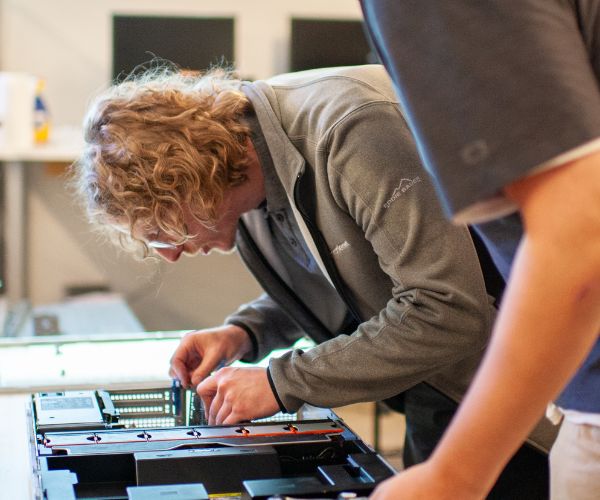
Software can be rebooted; hardware must be repaired. If a server motherboard fails, a hard drive seizes, or a workstation refuses to power on, no amount of coding will fix it. You need a technician to physically diagnose the component, swap out the part, or provision a loaner machine immediately.
2. Complete Network Outages
Remote tools require an internet connection to work. If your firewall fails or your ISP connection drops, remote technicians are effectively locked out of your building. Onsite support is required to troubleshoot the physical modem, reset the firewall manually, or trace cabling issues within the walls.
3. Cybersecurity Containment
In the event of a sophisticated ransomware attack or a compromised network, speed is everything. Sometimes, the only way to stop the spread of malware is to physically disconnect machines from the network (“pulling the plug”). A local security team can arrive on-site to isolate infected devices and begin digital forensics that remote tools might miss.
4. New Office Setups and Relocations
Moving your office from Lee’s Summit to the Crossroads? That is a physical logistical challenge. It involves running cable, mounting wireless access points, racking servers, and setting up workstations on desks. This is a strategic project that requires onsite project management to ensure you are operational on day one.
5. Wi-Fi Dead Zones and Interference
You cannot see radio waves through a remote dashboard. If your warehouse has dead zones or your conference room drops calls, a technician needs to perform a “wireless site survey.” This involves walking the floor with specialized equipment to map signal strength and interference from neighboring buildings or machinery.
6. Physical Damage and Disaster Recovery
Kansas City weather is unpredictable. Lightning strikes, floods, or even a localized fire sprinkler malfunction can destroy equipment. In these disaster scenarios, you need a team to arrive, assess the physical damage, and initiate a Business Continuity plan to get you running on backup hardware.
7. Specialized Compliance Audits
For industries like healthcare and finance, security isn’t just digital—it’s physical. Compliance often requires ensuring that servers are in locked rooms, backups are physically secure, and no unauthorized hardware (like USB drives) is attached to sensitive terminals.
Remote vs. Onsite: A 60-Second Decision Guide
Not sure if you need to pick up the phone and demand a truck roll? Use this simple decision framework to categorize your emergency.
Call for Remote Support If:
- You can still access the internet.
- The issue is with a specific application (Word, Excel, CRM).
- You need a password reset or user permission change.
- The computer is running slow but is functional.
- You see an error message on the screen.
Call for Onsite Support If:
- The entire office has lost internet access.
- You smell smoke or hear grinding noises from a machine.
- Liquid was spilled on a critical device.
- The device will not power on at all.
- You are physically moving desks or offices.
- You suspect a physical security breach (stolen laptop, unauthorized device plugged in).
The Hybrid Model: The Best of Both Worlds
The ideal IT strategy isn’t choosing between remote or onsite—it’s integrating them.
- Tiered Efficiency: A multi-tiered help desk (like ThrottleNet’s) should solve 90%+ of issues remotely within minutes (avg. response time under 90 seconds).
- Escalation Protocol: When remote fixes fail, the ticket should seamlessly escalate to a field engineer who is already familiar with your network documentation.
- Strategic Oversight: Your vCIO (Virtual Chief Information Officer) should be analyzing these onsite visits. If you need onsite support frequently for the same issues, it’s a sign that your infrastructure needs upgrading, not just repairing.
Frequently Asked Questions
Is onsite support more expensive than remote support?
Typically, yes. Onsite support involves travel time and vehicle costs. However, managed service providers usually bundle unlimited remote support and specific onsite hours into a flat monthly fee. This prevents “bill shock” when an emergency happens.
How quickly should an onsite technician arrive?
In a standard Service Level Agreement (SLA), non-critical onsite visits are scheduled within a few days. However, for “server down” emergencies, a reputable local provider should have emergency dispatch capabilities to get a technician to your Kansas City location the same day.
Can’t I just use a “geek” service for onsite repairs?
Retail repair services are fine for home computers, but they are not equipped for business networks. They lack the security clearance, insurance, and knowledge of enterprise systems (like Active Directory or firewalls) required to safely repair business infrastructure without causing data loss.
Don’t Wait for the Outage
The worst time to look for a plumber is when your basement is flooding. Similarly, the worst time to vet an IT provider’s onsite capabilities is when your server is down and you’re losing hundreds of dollars a minute.
Evaluate your current IT setup. Do you have a partner who is just a voice on the phone, or do you have a local team ready to show up when the digital world meets physical reality?
For Kansas City businesses, the right answer is a partner who offers the speed of the cloud with the reliability of a handshake.
Want to know how your current IT setup scores on reliability? Request a Free Network Assessment to identify physical risks before they become downtime.

