

Imagine a typical afternoon in the Kansas City metro. Maybe a sudden Midwest storm rolls through Overland Park, or a construction crew in downtown KC makes an accidental dig. The power flickers, then completely dies. Your IP phones go silent, payment terminals drop off the network, and your team looks at you asking, “What do we do now?”
When the lights go out, the immediate concern is often the physical workspace. But for modern organizations, the real crisis is digital. Losing access to your data, your communication channels, and your customers is the hidden cost of an outage.
If you’ve ever wondered how to maintain operations when the unexpected happens, you’re not alone. Let’s break down the relationship between power and connectivity, and explore the exact help desk protocols that keep businesses running smoothly—no matter what the forecast says.
The Outage Domino Effect: Why Your Internet Dies When the Power Does
It is a common source of frustration: your office building might have a backup generator, but when a regional power outage hits, your internet still goes down. Why does this happen?
The answer lies in the “last mile” infrastructure. Whether you use fiber or cable, your internet connection relies on physical network nodes located in your neighborhood or local business park. These nodes require electricity to route data back to your Internet Service Provider (ISP). If the power goes out in the blocks surrounding your office, those local nodes fail.
Understanding this dependency is your first “aha” moment in business continuity. Your internet connection isn’t just floating in the cloud; it is anchored to the physical power grid in the Kansas City metro area.
Defining Your Tolerance for Downtime: RTO and RPO Made Simple
Before building a defense against outages, you have to understand exactly what your business can afford to lose. In the IT world, we use two critical metrics. Let’s strip away the jargon:
- Recovery Time Objective (RTO): How long can your business survive without a specific system before it causes serious financial or reputational damage? For example, your front desk might have an RTO of 15 minutes for payment processing, but your marketing team might have an RTO of 24 hours for their design software.
- Recovery Point Objective (RPO): How much data can you afford to lose? If your system backs up every night at midnight, and you experience a failure at 4:00 PM, you have lost 16 hours of data. Is that acceptable for your operations?
Defining your RTO and RPO dictates exactly what kind of backup systems and help desk support you actually need.
The 3-Layer Continuity Shield for Kansas City Organizations
To keep your business operational, you need a holistic approach that connects the physical, the digital, and the human elements of your infrastructure.
Layer 1: Power (Keeping the Hardware Alive)
The first line of defense is an Uninterruptible Power Supply (UPS). A UPS is essentially a massive battery backup for your critical hardware, like servers and network switches. While a UPS won’t keep your entire office running for days, it provides a crucial window of time (often 15 to 60 minutes) to safely shut down sensitive equipment, preventing data corruption. For longer outages, businesses look to standby generators.
Layer 2: Connectivity (Internet Failover Solutions)
Internet failover is your digital safety net. It involves having a secondary, independent internet connection that automatically takes over if your primary line fails. This could be a secondary fiber line from a completely different provider, or increasingly, a business-grade 4G/5G LTE cellular connection. If a backhoe cuts your primary fiber line in Lee’s Summit, your failover connection instantly kicks in, keeping your VPNs, cloud applications, and VoIP phones active.
Layer 3: People (The “Human Failover” System)
Technology is only as effective as the team managing it. This is where your IT help desk comes into play. A help desk shouldn’t just react to tickets; it should serve as a coordinated, proactive “human failover” system that guides your employees through the chaos of an outage.
MythBuster: Why Your CEO’s Mobile Hotspot Isn’t a Real Backup Plan
A common misconception among small and mid-sized businesses is that they can just “tether to a phone” if the internet goes down. While a mobile hotspot is great for an individual at a coffee shop, it is entirely insufficient for business continuity.
A smartphone hotspot cannot connect to your office’s firewall. It cannot keep your server securely connected to the cloud, route your VoIP phone system, or provide secure access for remote workers. Furthermore, it completely bypasses your company’s cybersecurity protections. Real-world case studies in the continuity space—such as the often-cited example of a local dental practice cutting their downtime by 95%—prove that relying on a structured, automated failover router is the only way to maintain a secure, compliant network during an outage.
The 5-Step Help Desk Protocol for Unexpected Outages
When disaster strikes, generalist IT teams often become paralyzed by a sudden flood of support requests. Broad industry benchmarks show that IT response times can lag significantly during regional weather events.
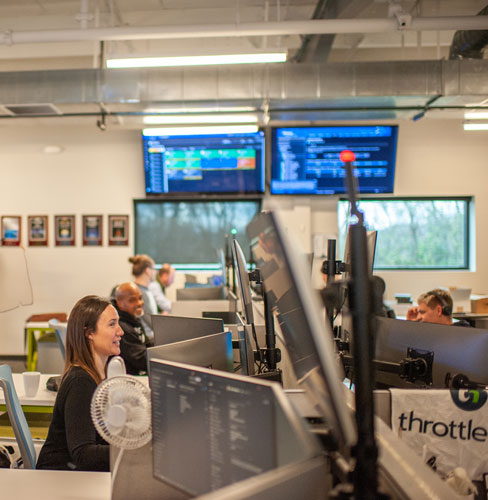
To overcome this, a mature IT partner utilizes a specialized, multi-tiered support system. For example, ThrottleNet operates a three-tiered help desk that routes issues immediately to the right level of expertise. This structure is what allows us to deliver an average response time of 90 seconds and a 93% same-day resolution rate.
Here is the exact 5-step protocol a high-performing help desk will execute from minute one of an outage:
Step 1: Triage & Verify
Before anyone panics, the help desk verifies the scope of the problem. Is the outage isolated to your building in Shawnee, or is there a widespread ISP failure across the Midwest? A proactive help desk with 24/7 network monitoring will often see the alert and begin working on the issue before your employees even notice the connection has dropped.
Step 2: Activate Failover & Internal Communications
If internet failover hasn’t kicked in automatically, the engineering team manually routes traffic to the backup connection. Simultaneously, the help desk communicates with your internal point of contact via a pre-determined out-of-band channel (like a mobile alert or secondary chat system) so your staff knows exactly what is happening.
Step 3: Update Stakeholders Proactively
Silence breeds frustration. The help desk coordinates with your leadership to ensure there is a clear message available for your customers. If your phone lines are temporarily down, they help enact contingency plans, such as rerouting calls to an answering service or mobile devices.
Step 4: Prioritize Mission-Critical Support
During an outage, not all IT problems are created equal. The help desk references your pre-established RTOs. If the shipping department needs to process outgoing freight by 3:00 PM, getting their specific terminals back online takes precedence over troubleshooting a single user’s dual-monitor setup.
Step 5: Post-Mortem Assessment
Once power and primary internet are restored, the job isn’t over. The help desk conducts a post-mortem review. Did the UPS batteries hold their charge as expected? Did the failover connection provide enough bandwidth? This feedback loop ensures continuous improvement for the next event.
Frequently Asked Questions About IT Outages and Failover
Is a Business Continuity Plan (BCP) the same thing as Disaster Recovery (DR)?
No, though they are closely related. Think of Business Continuity as “keeping the lights on and the business running” while the storm is raging. Disaster Recovery is the process of “rebuilding the house” and restoring your full data and server infrastructure after a catastrophic event, like a fire or a major ransomware attack.
Do we really need failover if our Kansas City internet has been highly reliable?
Yes. Even the best fiber networks are susceptible to physical damage (construction accidents, severe weather, vehicle collisions with utility poles). Because internet failover has become highly affordable, the cost of a backup connection is almost always lower than the cost of your entire workforce sitting idle for four hours.
How does a Virtual Chief Information Officer (vCIO) help with outages?
Unlike a standard account manager, a vCIO acts as a dedicated IT strategist. They work with your executive team long before an outage occurs to build your budgets, define your RTO/RPO metrics, and design a technology roadmap that incorporates robust failover solutions tailored specifically to your industry’s compliance and risk requirements.
Taking the Next Step Toward Uninterrupted Operations
An unexpected power or internet outage doesn’t have to mean lost revenue, frustrated customers, or stressed employees. When you pair reliable hardware and automated internet failover with a fast, multi-tiered help desk, your business transforms from reactive to resilient.
Building this continuity shield starts with understanding your current vulnerabilities. Taking the time to map out your critical systems, evaluate your internet dependencies, and establish a clear communication protocol ensures that the next time the lights flicker in Kansas City, your business doesn’t miss a beat.

