
You’re sitting at your desk on a Tuesday afternoon. You aren’t dealing with a high-stakes deposition or a tense client meeting. Instead, you’re staring at a 30-page Cyber Insurance Renewal Questionnaire—or perhaps a strict Client Security Engagement Letter from a lucrative corporate client.
It asks complex questions about endpoint detection, zero-trust routing, and multi-factor authentication. You think your current IT setup is fine, so you check “Yes” down the line.
But what happens if you check “Yes” when the reality is actually “I think so,” and your firm later experiences a breach? Your insurance policy is immediately voided.
For law firms in Lee’s Summit and across the greater Kansas City metro, the search for robust IT support rarely begins with a fear of shadowy hackers. It begins with administrative roadblocks just like this. Law firm partners need to confidently sign compliance documents without risking their practice, their ethical standing, or their billable hours.
If you are trying to untangle the overlapping layers of ABA ethics, Missouri Bar regulations, and IT infrastructure, you aren’t alone. Let’s break down exactly what specialized legal IT looks like, why standard tech support often fails law firms, and how to achieve true data confidentiality without sacrificing your firm’s efficiency.
The Cyber Insurance Trap: Why Compliance is Suddenly Urgent
In the past, securing a law firm meant locking the filing cabinets and ensuring the office alarm was set. Today, the perimeter of your firm extends to every laptop, smartphone, and cloud server your attorneys use to access case files.
Because of the highly sensitive nature of legal data, insurers and corporate clients now demand mathematical proof that your environment is secure. They require documentation showing that your firm utilizes enterprise-grade encryption and persistent threat monitoring. If a firm answers an insurance questionnaire inaccurately, any subsequent ransomware attack or data compromise won’t be covered—leaving the partners financially liable.
Decoding the Stack: Legal vs. Compliance in IT
One of the most confusing hurdles for managing partners is distinguishing between general legal compliance and IT regulatory compliance.
- Legal Compliance refers to following business laws and ethical guidelines to legally practice law without committing malpractice.
- IT Legal Compliance is the strict technical framework required to protect digital assets, satisfy insurance auditors, and meet specific client data demands.
For a law firm, IT compliance isn’t a single checklist; it is a stack of four overlapping obligations:
- Ethical Duties: The American Bar Association (ABA) Model Rule 1.1, Comment 8 mandates “technology competence,” while Rule 1.6(c) requires attorneys to make “reasonable efforts” to prevent unauthorized disclosure of client information.
- Privacy Laws: Depending on your jurisdiction and client base, you may be subject to varying state and federal data privacy regulations.
- Client Contracts: Corporate clients increasingly attach strict data handling requirements to their retention agreements.
- Cyber Insurance Policies: As mentioned, maintaining an active policy requires strict adherence to technical security controls.
The HIPAA Misconception
Many IT providers will tell you that every law firm needs a HIPAA-compliant IT environment. This is a myth. Unless your firm is acting directly as a “Business Associate” under HIPAA—such as a personal injury or medical malpractice firm handling protected health information (PHI)—you likely do not need full HIPAA compliance. However, you do need strict adherence to ABA rules and client-contract confidentiality, which require equally rigorous, though different, technical safeguards.
The Threat to Attorney-Client Privilege (And Your Billable Hours)
Under the Missouri Bar’s requirement for “reasonable efforts,” using consumer-grade tools like free Dropbox accounts, unencrypted flash drives, or personal home Wi-Fi networks to review case files is a direct threat to attorney-client privilege.
But this creates a massive point of friction for law firms: Security vs. Speed.
Lawyers hate security measures that slow them down. Every minute an attorney spends fighting a frozen computer, waiting on hold for tech support, or battling a clunky Multi-Factor Authentication (MFA) app is a lost billable increment.
Consider the “Billable Math”: If a firm of five lawyers, billing at $300 an hour, loses just 30 minutes a week per lawyer to IT issues, that equates to $39,000 in lost billable potential annually. Standard IT support often implements security that creates roadblocks, hurting the firm’s bottom line.
The Generalist MSP Trap
When legal practices hire generalist Managed Service Providers (MSPs), they often fall into a predictable trap. Generalist IT workers find law firm environments uniquely difficult due to compliance rigidity and the absolute premium placed on uptime.
A generalist “IT guy” might know how to set up a basic network, but they rarely understand the intricacies of practice management software like Clio, MyCase, or LexisNexis. When a critical document management system goes down hours before a court filing deadline, a generic help desk that takes hours to respond simply isn’t an option.
The “Zero-Friction” Security Stack: Balancing Security and Speed
Achieving compliance shouldn’t mean sacrificing efficiency. High-level security can—and should—be invisible to the attorneys using the system.
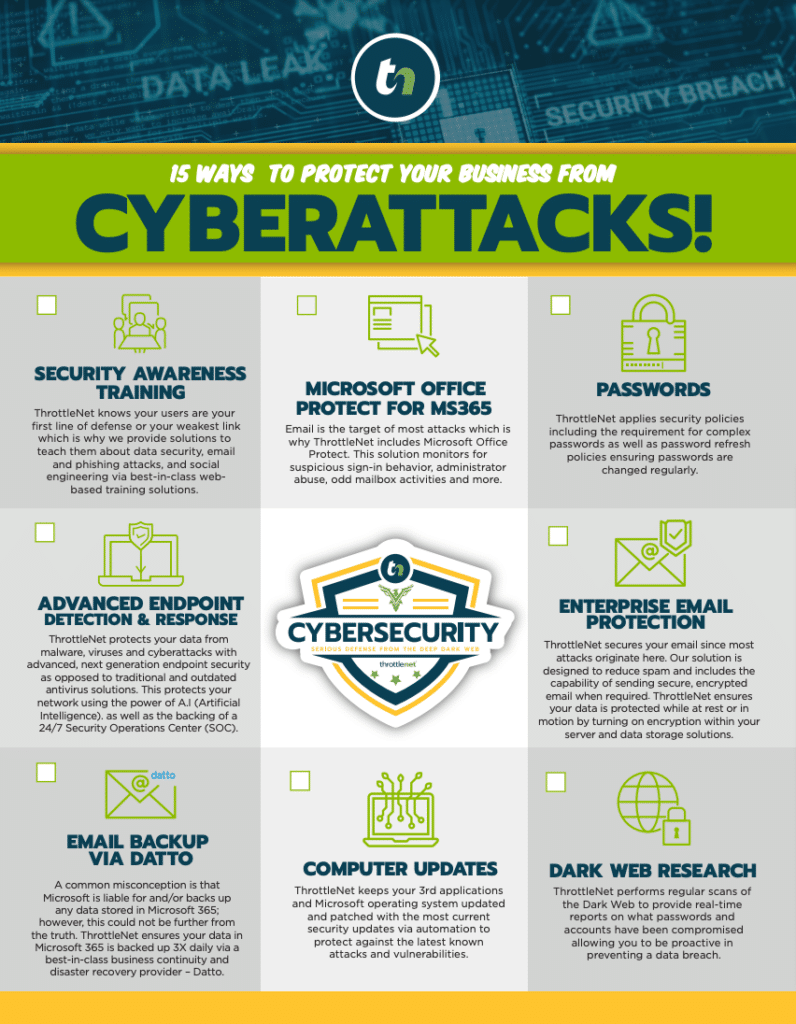
At ThrottleNet, we engineered our support model specifically to eliminate the friction between security and billable hours for businesses across the Kansas City metro, including Lee’s Summit. By utilizing a unique multi-tiered help desk, issues are routed immediately to the correct specialist rather than languishing at a Level 1 bottleneck.
This model allows ThrottleNet to deliver an industry-leading average response time of 90 seconds and resolve 93% of tickets the exact same day. When attorneys know their technology is backed by rapid response times and a 24/7 Security Operations Center (SOC), they can focus entirely on their clients. Furthermore, the inclusion of a dedicated vCIO (Virtual Chief Information Officer) ensures that long-term strategic planning, budgeting, and compliance roadmaps are actively managed, moving the firm far beyond reactive “break-fix” support.
Your Lee’s Summit Legal IT Vendor Evaluation Checklist
If you are unsure whether your current IT setup meets the rigorous demands of the legal industry, ask your provider these practical questions:
- [ ] Can you provide a compliance matrix showing how our current tech stack aligns with ABA Rule 1.6(c)?
- [ ] Are our endpoints (laptops, mobile devices) fully encrypted in the event of theft?
- [ ] Do you understand how to troubleshoot our specific practice management software (e.g., Clio, MyCase) without breaking database integrations?
- [ ] What is your verifiable average response time when an attorney is locked out of a critical case file?
- [ ] Will you help us confidently complete our Cyber Insurance Renewal Questionnaires?
- [ ] Are we backed by a financial guarantee against cyber incidents? (Note: ThrottleNet clients benefit from a $500,000 cybersecurity protection program, and no ThrottleNet customer has ever paid a ransomware attack).
Law Firm IT Support Compliance FAQ
What is IT support for law firms, and do we really need specialized IT? Yes. While general businesses just need their computers to turn on, law firms are legally and ethically bound to protect client data. Specialized legal IT ensures your digital infrastructure meets ABA confidentiality requirements and integrates seamlessly with legal software ecosystems.
What is the difference between Legal vs. Compliance in IT? Legal compliance refers to an attorney’s duty to practice law ethically. IT compliance refers to the specific technical configurations (like data encryption, routing, and access logs) required to satisfy cyber insurers, corporate clients, and privacy laws.
How do strict IT security measures impact the speed at which attorneys can access case files?Poorly implemented security creates massive friction, locking attorneys out of files and slowing down document discovery. However, a specialized IT provider uses “zero-friction” deployments—such as seamless single sign-on (SSO) and background endpoint detection—that secure data without interrupting the attorney’s workflow.
How do we pass a cyber insurance legal IT audit? You pass by implementing and documenting advanced security controls, including Multi-Factor Authentication (MFA), active patch management, verified backups, and continuous network monitoring. A specialized vCIO can manage this documentation for you, ensuring you can confidently check “Yes” on your renewal questionnaire.
Securing Your Firm’s Future in the Kansas City Metro
Navigating the intersection of legal ethics, cyber insurance requirements, and daily billable efficiency doesn’t have to be a source of constant stress. By shifting your perspective from “basic computer repair” to “strategic business continuity,” your firm can turn IT from a frustrating liability into a competitive advantage.
When your partners can confidently sign client security engagement letters, and your associates can access case files securely from anywhere without lag, your firm is positioned for sustainable growth. True data confidentiality is achievable—it just requires the right strategic partner to help you build the foundation.