

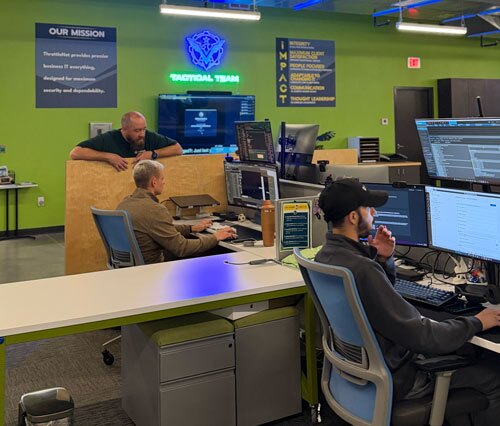
Picture a busy Saturday in historic downtown Parkville, with people drifting up from English Landing Park, when the card reader at your Main Street shop stops connecting. Managed IT for Parkville small businesses is built for that moment: someone is already watching your network, and someone answers fast when a problem gets through. ThrottleNet provides managed IT services to small and mid-sized businesses across the greater Kansas City metro, from Overland Park to Parkville.
Managed IT for Parkville small businesses means handing your day-to-day technology to a provider that monitors it around the clock, fixes problems remotely or onsite, keeps devices patched and backed up, and protects email and accounts from attack. For a shop, restaurant or office of 10 to 200 employees, the payoff is uptime: card readers, Wi-Fi, files and Microsoft 365 stay available, and your staff get help in minutes.
In this article
- What Uptime Looks Like for a Parkville Small Business
- What an Hour of Downtime Costs a Small Business
- What Managed IT Services Include
- How We Keep Your Team Working
- A Security Baseline for Managed IT for Parkville Small Businesses
- What Happens in Your First 30 Days
- Frequently Asked Questions
- Start With a Free Look at Your Setup
What Uptime Looks Like for a Parkville Small Business
Uptime in Parkville depends on the kind of business you run, because the town packs businesses with very different technology challenges into a few blocks. The city’s resident guide calls its riverfront and downtown an “eclectic mix” of recreation, education, shopping and entertainment.
On historic Main Street, where the Main Street Parkville Association works to preserve the downtown, independent shops and restaurants live on point-of-sale terminals, guest Wi-Fi and online booking. When English Landing Park, 68 acres on the Missouri River with the McKeon Stage, draws a crowd, those systems carry the busiest hours of your week, and a frozen register means lost sales and a line out the door.
Offices and professional services near Park University, including the mixed office and retail space at Six at Park, have a different version of the same problem. Their work runs on shared files, email, video calls and Microsoft 365 accounts, and a single locked-out employee or slow laptop can quietly eat into a day of paid time. Parkville’s growth shows too: the U.S. Census Bureau counted 7,117 residents in 2020 and estimated 9,093 as of July 1, 2025. Every new office in a growing town starts with a network, accounts and devices that someone has to set up and keep running.
Businesses near the river have one more consideration. The National Weather Service tracks the Missouri River with its own gauge at Parkville, which is a good reason to keep copies of your data off site with managed backup and to know your files can come back if the building is closed for a while.
What an Hour of Downtime Costs a Small Business
An hour of downtime costs more than most owners expect, even before anyone counts lost customers. ITIC, an independent research firm, found in its 2024 Hourly Cost of Downtime survey that only 4% of respondents said an hour of downtime costs their company less than $100,000. Of that small group, 93% were micro businesses with fewer than 10 employees. ITIC also notes its figures leave out litigation, fines and penalties.
A 12-person office on Main Street will not lose six figures an hour, but the costs add up the same way:
- Staff who are paid to wait while a server, printer or login is fixed
- Customers who leave when the card reader or booking system is down
- Data that has to be rebuilt by hand when a backup was never tested
That is why managed IT pricing makes the most sense next to your own downtime math. When you compare quotes, weigh each one against what an hour without your systems costs you and how quickly the provider gets your team back to work.
What Managed IT Services Include
A managed IT provider takes ongoing responsibility for your technology under a contract, instead of waiting for you to call when something breaks. At ThrottleNet, managed IT services cover the full day-to-day picture:
- 24/7 proactive network monitoring and maintenance
- A multi-tier help desk with remote support and onsite visits when needed
- Patch management and ongoing backup verification
- Business continuity and disaster recovery planning
- Multi-factor authentication, advanced email protection and next-generation endpoint security
- Microsoft 365 and managed cloud solutions, including backup and security
- A dedicated vCIO for budgeting, compliance planning and technology strategy
- TN TechHub, a portal for tracking tickets, licensing and IT planning
If you already have an IT person, co-managed IT lets them keep control of the strategy while our specialists take on daily support and security.
How We Keep Your Team Working
Problems get solved faster at ThrottleNet because of our multi-tier help desk. Tier 1, Tier 2 and Tier 3 engineers each handle the work that matches their expertise, so your issue reaches the right person right away instead of waiting in a single queue.
By ThrottleNet’s own figures, our average response time is 90 seconds, and we resolve 93% of tickets the same day. Most issues are fixed remotely, so your staff get back to work without waiting for someone to drive out.
Our team also shares in profits tied directly to customer satisfaction, through the open-book management ThrottleNet adopted in 2010. We call the goal turning frustration into joy, and our customer happiness score of 98%+, measured across nearly 25,000 completed surveys, is how we keep ourselves honest about it.
A Security Baseline for Managed IT for Parkville Small Businesses
Every small business needs a few security basics in place, and the federal government’s cybersecurity agency spells them out. CISA’s guidance for small businesses says “Any form of MFA is better than no MFA,” calls patching “one of the most cost-effective practices to improve your security posture,” and tells businesses to “Perform and test backups,” including regular partial and full restores.
Managed IT covers each of those for you, and ThrottleNet adds layers a small business rarely has on its own. A 24/7 Security Operations Center watches for threats around the clock. Our $500,000 Cybersecurity Protection Program backs our protection, and no ThrottleNet client has ever paid a ransom.
What Happens in Your First 30 Days
Getting started takes about a month, and it begins with a free on-site assessment and security report that shows where your network stands today. From there, our 30-day onboarding covers:
- Setting up 24/7 network monitoring and cybersecurity protection
- Activating user workstations with our support tools
- Documenting your network, consolidating passwords and mapping your vendors
- Training your staff on phishing awareness, how to request support and what to expect
- Training your point of contact on TN TechHub
- Scheduling your first quarterly business and technology review with your vCIO
Frequently Asked Questions
What are managed IT service providers?
They are outside companies that run, monitor and support a business’s technology under an ongoing agreement, often with a service-level agreement attached. CISA advises that contracts clearly define who is responsible for what, spell out the services you are not buying, and cover how incidents get reported. Our own advice: ask any provider to put support hours, response targets, backup retention, restore testing and exclusions in writing before you sign.
What is the best IT solution for a small business?
The best solution is a well-managed setup rather than a single product. CISA lists moving on-premises services such as file servers and email to secure cloud platforms like Microsoft 365 or Google Workspace as an optional, more aggressive step. For many small offices it is worth it, because it takes the closet server out of the picture as a single point of failure.
How much should managed IT services cost?
Cost depends on how many users and devices you have, the security level you need and the hours of coverage. ThrottleNet gives a scoped quote after the free on-site assessment, so the price reflects your actual setup.
Do you support businesses in Parkville from downtown Kansas City?
Yes. Parkville is part of the greater Kansas City metro we serve, and a technician comes out from our downtown Kansas City location at 1100 Main Street, Suite 400, when a problem needs hands on a device. Day to day, 24/7 remote support handles most requests before a trip is ever needed.
Does a new Parkville business need IT in place before getting its city business license?
The City of Parkville requires a business license for any business operating in town, and its new-business checklist covers fire district and city inspections, not technology. Still, if you need internet, phones and accounts working on opening day, plan your network while those inspections are being scheduled.
Can Wi-Fi be reliable in an older building on Main Street?
It is a fair question to raise during the free on-site assessment, where we look at how coverage reaches each room. WiFi mapping and optimization is part of our managed network services, so any dead spots found get a plan to fix them.
Start With a Free Look at Your Setup
If your Parkville business is losing hours to slow fixes, spotty Wi-Fi or worry about your data, a free on-site assessment is a low-pressure first step. We will show you what is working, what is at risk and what a reliable managed IT partner would change. Hundreds of companies across the Midwest count on ThrottleNet to keep their people productive and their networks secure, and our local Parkville IT support team would be glad to learn what your business needs.

Author: George Rosenthal – President & Co-Owner