Imagine walking into your office on a Tuesday morning, coffee in hand, only to realize the screens are dark, the CRM won’t load, and the phones are dead. In today’s highly connected landscape, business owners and employees know the immediate spike of panic when technology suddenly fails.
Often, our first instinct is to search the internet for answers, wondering if a platform is universally broken. We look to see if a major cloud provider is having a bad day, or if a localized application is experiencing a known regional outage, like when PowerSchool goes down in Liberty, MO, or LinkedIn crashes during a crucial recruiting sprint. But when the problem isn’t a global cloud failure, but rather a direct hit to your company’s own network, panic isn’t a strategy. You need a fast, reliable lifeline.
For businesses operating in Liberty and the greater Kansas City metro, understanding how to navigate these critical moments can be the difference between a mild operational hiccup and a catastrophic financial loss.

The True Cost of Idle Time
Most business leaders intuitively know that IT downtime is detrimental, but very few calculate the exact financial bleed. According to industry research from ConnectWise and Gartner, the average cost of IT downtime for small to mid-sized businesses (SMBs) sits at roughly $8,600 per hour. That translates to about $143 slipping out the door every single minute your network is offline.
To understand your unique financial exposure, you can apply a simple formula: Downtime Cost = Lost Revenue + Lost Productivity + Intangible Damage
If your manufacturing plant or professional services firm has 30 employees who cannot access their files for three hours, you aren’t just losing the sales you missed during that window. You are still paying the hourly wages for a completely idle workforce, plus the inevitable overtime required to catch up, all while risking long term reputational damage with frustrated clients who needed your services today.
Global vs. Local: The Initial Triage Phase
When a system breaks, the first crucial step is determining the scope of the outage. Is it your internal network, or is the cloud broken?
If your team suddenly cannot access a specific web application but can still browse the internet and send emails, the issue might be an external vendor outage. But if your internal servers are unreachable, your point-of-sale systems are frozen, or your entire office has lost internet connectivity, you are experiencing a localized IT emergency.
This is the exact moment when the promises made by your IT support provider are put to the ultimate test.
The Great SLA Illusion: Response Time vs. Resolution Time
To protect themselves against prolonged downtime, most organizations sign a Service Level Agreement (SLA) with an IT provider. However, the language within these contracts often hides a massive industry secret: the “SLA Illusion.”
Across the broader IT industry, a standard SLA might promise a “1-hour response time.” But what does that actually mean? For many traditional “break-fix” providers or under resourced Managed Service Providers (MSPs), a “response” is simply an automated computer generated email confirming that your ticket has been received. It absolutely does not mean a human engineer is actively working on your problem. This mechanical delay leaves your business bleeding revenue while you wait blindly in a digital queue.
At ThrottleNet, we believe an automated receipt is not a response. Our support ecosystem is engineered differently to prioritize human action. We maintain an industry leading 90-second average response time. Because our multi-tier help desk is designed to immediately route your issue to the correct level of expertise rather than bouncing you through generalized call queues, we pair that speed with a 93% same-day resolution rate. We aren’t just logging your ticket, we are actively resolving the emergency.
The 93% Framework: What Actually Happens During a Tech Crisis?
How is it physically possible to resolve 93% of IT emergencies on the very same day? It all comes down to architectural design. Traditional IT models often rely on a bottleneck of Tier-1 generalists who spend hours trying to diagnose an issue before finally escalating it to an expert.
For organizations in Liberty and throughout the greater Kansas City metro, ThrottleNet eliminates this bottleneck entirely. Our unique three tiered support system routes complex problems directly to dedicated specialists, whether that is a networking expert, a dedicated cloud engineer, or a member of our 24/7 Security Operations Center (SOC).
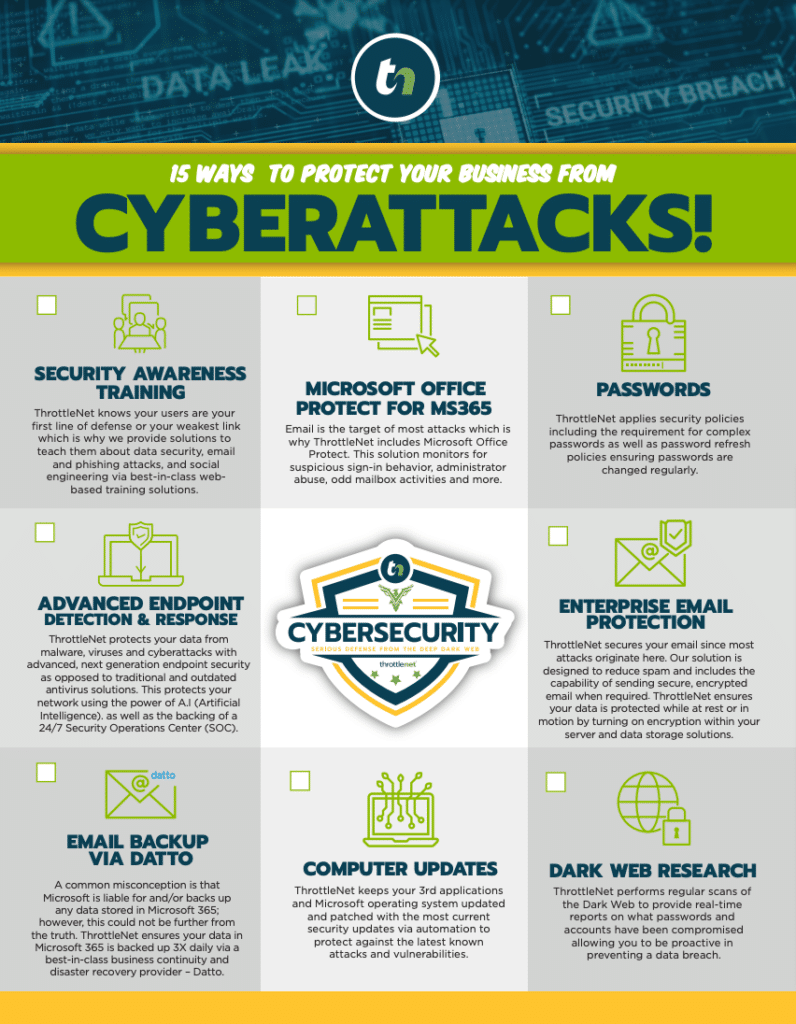
Furthermore, many IT emergencies stem from cyber threats, such as ransomware encrypting vital files. Our embedded cybersecurity services actively monitor for persistent threats and unauthorized access round the clock, effectively stopping many emergencies before they ever impact your daily operations. This layered, proactive defense is why ThrottleNet customers have never paid a ransomware attack.
The 5-Minute IT Emergency Checklist
Before your pulse spikes during the next system crash, having a baseline triage plan can save your team critical minutes. If your network suddenly goes dark, run your team through this quick checklist:
- Verify the Scope: Ask a colleague if they are experiencing the exact same issue. Is it just your workstation, or the entire office?
- Check for External Outages: Use a mobile device on a cellular network to check if the specific platform you are using (like your CRM or email host) is experiencing a known global outage.
- Identify Recent Changes: Did someone just click a suspicious email attachment? Did a power surge occur in the building? Document these details, they are critical clues for your IT engineers.
- Do Not Indiscriminately Reboot: A common mistake is immediately rebooting critical servers or workstations. If the emergency is a cybersecurity incident, rebooting can destroy valuable forensic data and even allow ransomware to encrypt files faster.
- Engage Professional Support: Once you’ve confirmed it is a localized emergency, reach out to an IT partner equipped to handle the crisis immediately with proven, rapid resolution metrics.
Frequently Asked Questions About Emergency IT Support
What is the difference between Managed IT and Break-Fix support?
Break-fix support is a reactive model; you call an IT provider when something breaks, and you pay an hourly rate while you wait for them to diagnose and fix it. Managed IT Services proactively monitor your systems 24/7, applying patches, managing security, and maintaining network health to prevent emergencies from happening in the first place, all for a predictable monthly investment.
What is a Virtual Chief Information Officer (vCIO)?
A vCIO is a dedicated IT strategist who helps align your technology with your overarching business goals. Unlike a standard account manager who just handles billing or basic inquiries, a vCIO focuses on long-term planning, budgeting, compliance, and risk mitigation to ensure your infrastructure can scale safely as your company grows.
How does local geography impact IT support?
While much of today’s IT troubleshooting is handled remotely with incredible speed, having a partner who understands the regional business landscape and can deploy onsite technical support across the greater Kansas City metro when hardware physically fails, provides an essential safety net for your operations.
Securing Your Business Operations for the Future
Relying on hope is never a strategy for business continuity. When an IT emergency strikes a business in the Liberty area, every passing minute carries a measurable cost in lost revenue, idle payroll, and disrupted client trust. The difference between a minor inconvenience and a major operational disaster lies entirely in the infrastructure you have in place before the crisis occurs.
By understanding the true cost of downtime and learning how to decode the fine print of SLA agreements, you empower your organization to demand a higher standard of care. Fast, capable, and highly specialized IT support isn’t just a luxury, it is the foundational bedrock that keeps your operations running, your data secure, and your business thriving regardless of what technical challenges arise.