The week before a filing deadline, the file server stops answering, and the one person in your office who knows the admin password is home sick. Most small practices have lived some version of that moment. Getting by with a colleague who is good with computers, plus the occasional repair call, is normal, and for years it often works fine.
IT support for accountants comes in three workable shapes: an IT person on your own staff, an outside IT partner that manages the whole job, or both together in a co-managed arrangement. The right choice depends less on firm size than on accountability. Someone has to keep client data secure, backed up, documented and recoverable, meet the FTC Safeguards Rule and IRS written security plan duties, and be reachable on a deadline day.
In this article
- Why “Good With Computers” Worked, and When It Stops
- What Accounting Firms Are Now Expected to Protect
- Option One: An IT Person on Your Team
- Option Two: An Outside IT Partner
- Option Three: Both, With Co-Managed IT
- The Three Options Side by Side
- Signs Your Current Setup Has Stopped Being Enough
- What to Ask Before You Hire Anyone
- What a Partner Like ThrottleNet Adds
- Frequently Asked Questions
- Where to Start If You Are Not Sure
Why “Good With Computers” Worked, and When It Stops
A capable colleague is a sensible way to start, and it stops being enough when the job grows past what one part-time person can carry or cover. Nobody needs to feel guilty about winging it. Most accounting firms begin exactly this way.
For a long time, IT for a small practice meant keeping the printers running, setting up a new laptop and installing the yearly tax software update. A partner or office manager with some patience could handle that between client meetings.
The job has changed. Federal rules now expect a written security program, insurers ask detailed questions at renewal, and your staff reach client files through remote access from home. That is a different kind of work, and it lands on someone who already has a full-time job doing something else.
There is also the quieter problem: when one person holds every password and setting in their head, that person becomes your firm’s single point of failure. If they are out during tax season, or they leave, the knowledge leaves with them.
What Accounting Firms Are Now Expected to Protect
If your firm prepares tax returns, federal rules spell out how client information must be protected, and that is why IT is no longer just “the computers work.” Here is the short version, in plain words.
- The FTC Safeguards Rule. The FTC lists tax preparation firms among the “financial institutions” the rule covers. It requires a designated Qualified Individual, a written risk assessment, access controls, encryption, multi-factor authentication, staff training, oversight of your service providers and a written incident response plan.
- Testing. The same rule calls for annual penetration testing plus vulnerability scans every six months, unless your systems are continuously monitored.
- A written information security plan. The IRS says in its June 2026 guidance for tax professionals that a written plan “is required by law.”
- The IRS “Security Six.” The IRS’s baseline list for tax pros, published in 2019: anti-virus software, firewalls, two-factor authentication, backup software or services, drive encryption and a virtual private network.
- The “new client” scam. In July 2025 the IRS warned that criminals pose as a potential client “to trick practitioners into opening email links or attachments that infect computer systems to steal existing client information.” The same warning notes that multi-factor authentication is an FTC requirement for all tax professionals.
- Your insurer. Cyber insurers commonly ask for evidence of multi-factor authentication, endpoint protection, tested backups and staff training at renewal. Your carrier’s application is the authority on what yours requires.
None of this is a reason to panic. It is a reason to know who on your team, or outside it, owns each item on that list. If your firm also takes card payments, our guide to PCI DSS compliance for Kansas City accounting firms covers that side.
Option One: An IT Person on Your Team
An IT person on staff gives you someone in the room who knows your people, your software and your office, and the trade-off is that one person has to cover everything.
What an in-house person does well:
- Knows your accounting software, your file structure and the partner who always forgets a password
- Walks over to a desk instead of opening a ticket
- Understands your busy weeks because they live through them with you
Where it strains:
- Breadth. In a typical firm, the in-house role ends up covering the help desk, the network, security, Microsoft 365 and the vendors, plus keeping the written security plan current. That is a lot to ask of one person.
- Cover. Vacations, sick days, nights and weekends still happen, including in tax season.
- Cost. The Bureau of Labor Statistics puts the median annual wage for computer user support specialists at $61,860 (May 2025) and for network and computer systems administrators at $99,130 (2025). Those are national figures and only a starting number, before benefits, recruiting, equipment, tools and training.
An in-house hire can be the right answer when your firm keeps a person busy all year and you also have a plan for the work that one person cannot cover.
Option Two: An Outside IT Partner
An outside IT partner, usually called a managed IT services provider, takes ongoing responsibility for a defined list of work for a recurring fee, instead of billing you each time something breaks. The point is to be proactive, the opposite of break-fix, and to catch potential issues before they impact your business.
Day-to-day IT support services for accounting firms from a managed provider typically include:
- A help desk your staff can reach when something goes wrong
- 24/7 monitoring, patching and backup checks behind the scenes
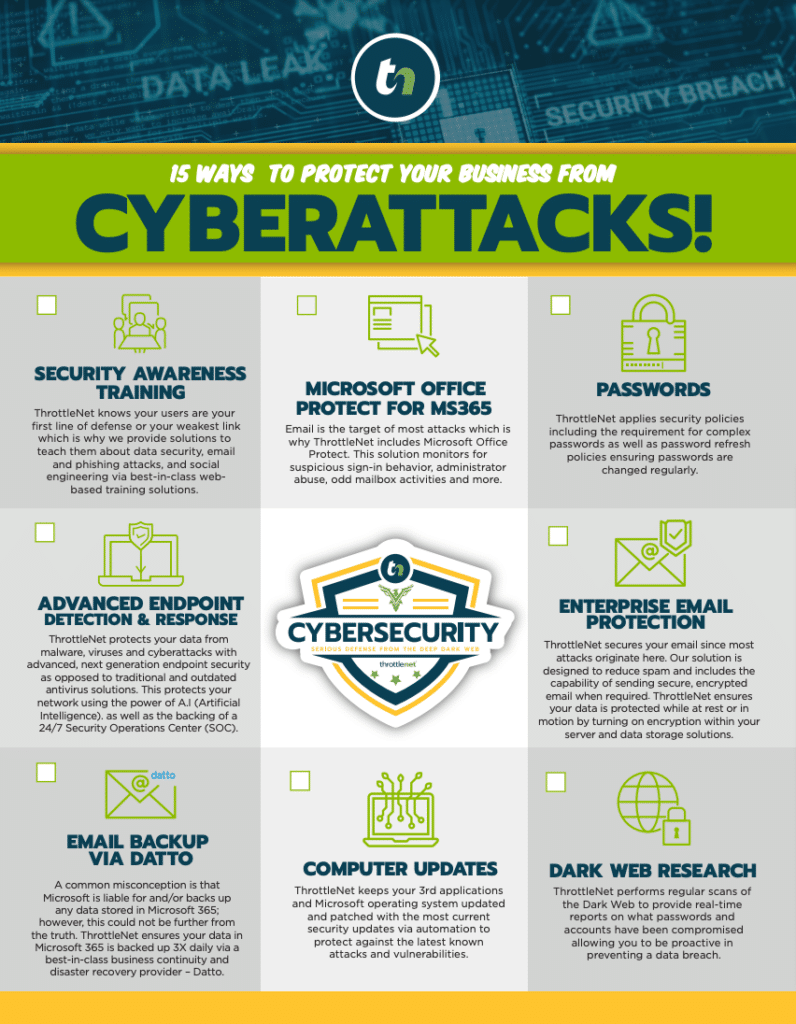
- Security tools such as multi-factor authentication, endpoint protection and email filtering
- Secure remote access for staff working from home
- Onboarding and offboarding, including seasonal staff
- Planning and budgeting, so upgrades happen on your schedule
How the help desk is built matters. At ThrottleNet, our multi-tier help desk is the reason problems are solved faster: an issue goes to the Tier 1, Tier 2 or Tier 3 engineer with the right depth, instead of waiting in one long queue.
Where outside support can disappoint:
- A provider who does not understand your accounting software or the tax calendar
- A scope nobody wrote down, so every request turns into a debate about what is included
- A provider that can only provide remote help when you need someone onsite
- Slow escalation, where a ticket gets acknowledged quickly and then sits
Option Three: Both, With Co-Managed IT
Co-managed IT keeps your in-house person and adds an outside team behind them, so you get local knowledge and depth at the same time.
Your person keeps what they do best: daily requests, your software, your people. The partner adds what one person cannot carry alone:
- 24/7 monitoring and after-hours cover
- Security operations and tools
- Project help for upgrades and moves
- Documentation of your systems and passwords
- A second set of eyes on the written security plan
The one requirement is a written line on who owns what. Without it, each side assumes the other has the backups covered.
ThrottleNet’s co-managed IT services are built to supplement your in-house IT team. Kansas City businesses with a single IT person or a lean team can hand off daily support, cybersecurity and infrastructure management to our specialists while keeping strategic control. It also takes pressure off the person who has been carrying the whole job alone.
The Three Options Side by Side
Each option answers the same few questions differently. None of them is the right answer for every firm.
| Question | An IT person on your team | An outside IT partner | Both together (co-managed) |
|---|---|---|---|
| Who answers a deadline-day problem? | Your person, if they are in | The provider’s help desk | Your person first, the provider behind them |
| Who covers vacations and sick days? | Nobody, unless you plan for it | The provider’s team | The provider |
| Security tools and monitoring | Whatever your person can set up and watch | Included in the agreed scope | Usually the provider |
| The written security plan | Your person, alongside the day job | Built and maintained with the provider | Shared, with roles written down |
| Who holds the admin passwords? | Often one person | Should be you, documented | Should be you, documented |
| Cost shape | Salary plus benefits, tools and training | A recurring monthly fee | Salary plus a smaller recurring fee |
| Often suits | Firms with steady, full-time IT work | Firms with no IT staff or a part-time helper | Firms with a capable person who needs depth |
Signs Your Current Setup Has Stopped Being Enough
If several of these sound familiar, your arrangement has likely outgrown itself.
- The same problems keep coming back.
- One person holds all the passwords and settings.
- You cannot say when your backups were last restored as a test.
- Security work happens only after something goes wrong.
- Partners or billable staff spend hours fixing computers.
- Nobody is named to cover busy season or after hours.
- A client, your insurer or your written security plan asks questions you cannot answer.
- Example: your renewal form asks whether multi-factor authentication is on for every account, and you are not sure.
What to Ask Before You Hire Anyone
Whether you are hiring a person or a provider, these questions sort out who will actually be accountable. Group them into four areas.
Your software and tax season
- Which accounting software and tax software do you support day to day, and who on your team does it?
- What does coverage look like in tax season and on deadline days?
Speed and escalation
- What does “response” mean to you: an acknowledgment, or a person working the problem?
- How does a hard problem escalate, and to whom?
Security and the written plan
- Will you help us build and keep our written information security plan?
- Which specific security requirements from the FTC and IRS lists above will you handle, and which stay with us?
Ownership and exit
- Who owns the admin accounts, the domain and the Microsoft 365 tenant? (You should.)
- Is documentation kept and shared with us?
- How long is the contract, and what happens to our data and credentials if we leave?
Ask what the first 30 days look like, too. Other providers’ timelines vary. Ours, at ThrottleNet, is a 30-day onboarding that sets up 24/7 monitoring and cybersecurity protection, documents your network, consolidates passwords and security, maps your vendors and contacts, trains staff on phishing awareness and how to request support, and schedules the first quarterly review with your vCIO.
What a Partner Like ThrottleNet Adds
For accounting firms across the KC metro, our IT support for accounting firms brings speed, security and strategy under one roof, whether we manage or co-manage your IT.
- A dedicated vCIO, not just an account manager. Your vCIO handles long-term technology planning, budgeting, cybersecurity risk and compliance alignment, so upgrades are planned around your filing calendar instead of landing in the middle of it.
- Fast help when something breaks. Our average response time is 90 seconds, per ThrottleNet’s published data.
- TN TechHub. One portal to track tickets, review security training, see your software and device inventory and plan your budget with your vCIO.
- Month-to-Month Agreements: No long-term contracts. Clients stay because of performance, not paperwork.
Frequently Asked Questions
Does an accounting firm need a written information security plan?
If your firm prepares tax returns, plan on yes. The FTC relaxes certain provisions of the Safeguards Rule for firms holding information on fewer than 5,000 consumers, so check the FTC’s own guidance page for what applies to a practice your size. The IRS publishes a free template, Publication 5708, that tax pros can use to build their own. The rule also sets a breach duty: if unencrypted information on at least 500 consumers is taken, you must notify the FTC as soon as possible and no later than 30 days after discovery.
How much does it cost to hire an IT person compared with outsourcing?
The salary is only part of an in-house hire; add recruiting time, equipment, software tools, training and a plan for when that person is away. Outside support is usually priced per person or per device, and proposals differ widely in what each one includes: monitoring, security tools, backup, onsite visits and planning. Compare written scopes side by side instead of headline numbers, and ask which items would be billed separately.
What is the difference between break-fix, managed IT and co-managed IT?
The real difference is who gains when your systems stay up. A break-fix shop is paid per incident, so its income rises with your problems. A managed or co-managed provider earns the same fee either way, so a quiet month works in its favor as well as yours. None of the three is permanent: the right one can change as your staff and your IT person’s role change.
Where to Start If You Are Not Sure
You do not have to decide between a person and a partner today. Start by writing down who owns each item on the FTC and IRS lists above, who holds your passwords, and who covers the next deadline week. The gaps will tell you which option fits.
If you would like a second opinion, ThrottleNet offers a free on-site assessment and security report for Kansas City businesses. We will look at your systems, your security and how your team gets help today, then show you where you stand, with no pressure to sign anything. Call us at (816) 549-1463, and we’d be happy to walk you through it.