

Ransomware usually gets into a company through something ordinary: a server that missed an update, a password someone reused, an email opened on a busy afternoon. Ordinary openings have ordinary fixes, and most of them are within reach for a business of 10 to 200 people.
Ransomware protection for a small or mid-sized business is a set of layered habits, not a single product. Keep software patched, require multi-factor authentication, filter email and train your staff, keep tested backups that attackers cannot reach, and have someone watching your systems around the clock who can isolate a device quickly. Add a written incident response plan, and your organization is prepared both to prevent an attack and to recover from one.
In this article
- The Risk for Small and Mid-Sized Businesses
- How Ransomware Usually Gets In
- The Protections That Do the Most Work
- Are Backups Alone Enough?
- What Cyber Insurance Usually Asks For
- What to Have Ready Before Anything Happens
- If You’re Hit Anyway: The First Hours
- What to Look for When Comparing Ransomware Protection Services
- How ThrottleNet Approaches Ransomware Protection
- Frequently Asked Questions
- Where to Start This Week
The Risk for Small and Mid-Sized Businesses
Ransomware is the threat smaller companies are most likely to face in a breach. In Verizon’s 2025 Data Breach Investigations Report, ransomware appeared in 88% of breaches at small and mid-sized businesses, compared with 39% at larger organizations, according to the report’s small-business summary.
The trend lines are not all bad. Fewer victims are paying: Coveware, an incident response firm, reported a ransom payment rate of 23% across its cases in the third quarter of 2025, which it called a historical low.
What has changed is the pressure attackers apply. In the same Coveware report, data was stolen in 76% of cases. Many attacks are now about threatening to publish sensitive data, with or without locking your files.
How Ransomware Usually Gets In
Most ransomware attacks come through three doors: software flaws, stolen logins and email. Sophos surveyed 3,400 IT and security leaders in 17 countries whose organizations were hit in the past year. Exploited vulnerabilities were the entry point in 32% of attacks, compromised credentials in 23%, malicious email in 19% and phishing in 18%.
Once inside, attackers rarely encrypt right away. They look for administrator access, move across the network, copy data they can use for leverage, and go after your backups. CISA’s #StopRansomware Guide warns that many ransomware variants try to find and delete or encrypt any backups they can reach. The ransom note is the last step, not the first.
That sequence matters for your planning, because every stage before the note is a chance to detect and stop the attack.
The Protections That Do the Most Work
Five protections carry most of the load, and each one closes a door described above. The order below is ThrottleNet’s view, matched to the entry routes in the Sophos data.
1. Keep Software and Devices Up to Date
Patching closes the largest single entry route in the Sophos survey. That means servers and laptops, and also the equipment people forget: firewalls, VPN appliances and remote access tools sitting at the edge of your network.
- Example: a firewall with a known vulnerability that goes unpatched for months is an open door, even if every laptop behind it is current.
ThrottleNet includes patch management in every managed engagement, so updates are tracked and applied on a schedule instead of when someone remembers.
2. Require Multi-Factor Authentication Everywhere It Matters
Multi-factor authentication (a second check, such as a code on your phone, on top of a password) makes a stolen password far less useful. Put it on email, remote access, cloud apps and every administrator account first.
ThrottleNet pairs multi-factor authentication with dark web monitoring, which watches for your staff’s credentials showing up in leaked password collections so they can be changed before someone uses them.
3. Filter Email and Train Your People
Email filtering catches malicious messages before they reach an inbox, and training helps your staff catch the ones that slip through. Both matter, because neither works alone.
Good security awareness training is short, regular and practical: how to spot a fake login page, what to do with an unexpected invoice, and who to tell when something looks wrong. ThrottleNet’s advanced email protection and end-user training are part of the same service, so the filter and the people behind it are working from the same playbook.
4. Keep Tested Backups Out of Reach
Backups are your recovery plan, so they need to survive the attack. That means at least one copy attackers cannot change or delete, and restores that have actually been tested. The next section covers what that looks like in practice.
5. Watch Around the Clock, and Be Able to Act
Detection only helps if someone acts on it quickly. An alert that sits until Monday morning gives an attacker the weekend.
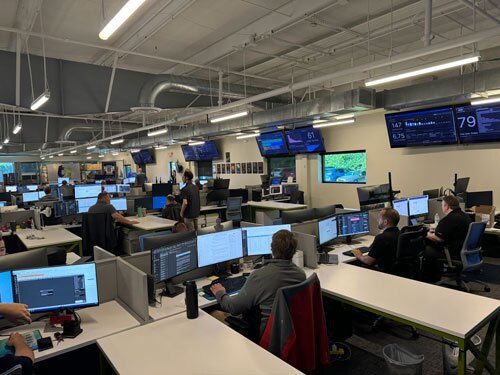
Endpoint detection and response software watches each computer for malware and suspicious behavior and can isolate a device from the network. A security operations center (SOC) is the team of people behind those tools, deciding what an alert means and what to do about it. ThrottleNet runs a 24/7 SOC alongside next-generation endpoint security for its managed clients.
Are Backups Alone Enough?
No. Backups help you restore locked files, but they do nothing about stolen data, and attackers often go after the backups first.
Here is why “we have backups” is no longer a complete answer:
- Data theft. Restoring your files does not stop an attacker from publishing what they copied. CISA’s guidance makes this point about double extortion, where data is stolen before it is encrypted.
- Extortion without encryption. Sophos’s 2025 survey reported this kind of attack doubling, from 3% of attacks in 2024 to 6% in 2025. Nothing is locked, so there is nothing to restore.
- Backups in reach. A backup drive that stays connected, or a cloud folder that syncs, can be encrypted right along with everything else.
- Untested restores. A backup job that says “completed” is not the same as a restore that works.
Two words are worth knowing here. An immutable backup is one that cannot be changed or deleted for a set period, even by an administrator account an attacker has taken over. A tested backup is one you have restored in full, on a schedule, with the results written down. CISA recommends offline, encrypted backups that are tested for availability and integrity.
ThrottleNet includes ongoing backup verification and business continuity and disaster recovery planning, so backups are checked rather than assumed.
What Cyber Insurance Usually Asks For
Most cyber insurers now ask about your security controls before they write or renew a policy. Broker and advisory guidance commonly lists the same handful:
- Multi-factor authentication enforced on email, remote access, cloud apps and administrator accounts
- Endpoint detection and response, or a managed detection service, not antivirus alone
- Backups that are isolated, immutable or offline, with dated records of restore tests
- A written incident response plan
- Regular security awareness training
- Documented patch management
Requirements vary by insurer, company size, industry and claims history, so read your own application and policy closely. Answer every question accurately and keep the evidence. An inaccurate answer on an application can lead to a denied claim or a canceled policy.
You may notice that list matches the protections above. A business that has those controls in place, with records to show it, is usually in a better position at renewal.
ThrottleNet also backs its managed clients with a $500,000 Cybersecurity Protection Program. It is ThrottleNet’s own program, not an insurance policy, so ask for its terms and read them next to your policy.
What to Have Ready Before Anything Happens
The best time to make decisions about an attack is before one starts. CISA and NIST both stress two things: protected, tested backups, and a response plan your team has actually practiced.
A practical starting list:
- A written incident response plan that names who leads and who can authorize disconnecting systems
- A contact list kept offline: your IT or security provider, your insurer, your attorney, and your local FBI field office
- Your insurer’s claim process, including whether they require you to use a specific response firm
- A ranked list of critical systems, so you know what to restore first
- At least one offline or immutable backup, and a restore you have tested recently
Keep a printed copy. If your network is locked, the plan stored on it will be too.
If You’re Hit Anyway: The First Hours
Isolate first, then document, report and restore. CISA’s guidance for organizations hit by ransomware lays out these steps in order:
- Identify the affected systems and isolate them from the network immediately.
- Power down devices only if they cannot be disconnected from the network.
- Triage which systems to restore, and document what happened.
- Report the attack to CISA, your local FBI field office and the FBI’s Internet Crime Complaint Center (IC3).
- Take a system image and memory capture from a sample of affected devices, and keep the logs.
- Remove or disable known ransomware files.
- Rebuild systems by priority from clean images, and restore data from offline backups.
Call your insurer early, too. Your policy may set a deadline for reporting an incident, and your plan from the section above should say who makes that call.
Recovery is realistic. In Sophos’s survey of 3,400 organizations hit in the past year, 53% were back up within a week, up from 35% the year before. The average recovery cost, not counting any ransom, was $1.53 million, down 44% from $2.73 million in 2024. That sample leans toward larger organizations, so treat the dollar figure as a direction rather than a price tag for a business your size.
On paying: 49% of the organizations in the Sophos survey paid, and where they negotiated, the average payment was 85% of the first demand. CISA and the FBI discourage paying, since payment does not guarantee you get your data back and can encourage more attacks, and they ask victims to report the attack whether or not they pay.
What to Look for When Comparing Ransomware Protection Services
The right provider answers specific questions with specific answers. These are the questions worth asking any provider of ransomware protection services or security solutions, ThrottleNet included:
| Question to ask | What a good answer sounds like |
|---|---|
| Is monitoring staffed 24/7, or are alerts automated after hours? | People watching around the clock, with the authority to isolate a device |
| What are your response commitments in writing? | Response targets in the agreement, separate from “24/7 support” |
| What does protection cover? | Endpoints, servers, email, cloud accounts and backups, named in the scope |
| How do you test backups? | Scheduled restore tests, with records you can see |
| Who leads an incident at 2 a.m.? | A named team and a clear escalation path |
| Is incident response included, or billed separately? | A plain answer, before you sign |
| How does your guarantee differ from my insurance, and what does it exclude? | Written terms you can read next to your policy |
| How do you protect your own access to our systems? | Multi-factor authentication and restricted admin access on their side, too |
Here is how ThrottleNet answers several of them. Cybersecurity is embedded in every engagement, not sold as an add-on. A dedicated team of cybersecurity experts and a 24/7 SOC handle monitoring and response. Every client gets a dedicated vCIO, a strategist who looks at risk and planning over the long term, not just an account manager. And ThrottleNet works on month-to-month agreements: “No long-term contracts,” so clients stay because the service earns it.
How ThrottleNet Approaches Ransomware Protection
ThrottleNet builds ransomware protection into its managed cybersecurity services and the managed IT it provides to Kansas City businesses, organizations with roughly 10 to 200 employees, across the KC metro and on both sides of the state line.
The protection stack includes:
- 24/7 Security Operations Center (SOC)
- Next-generation endpoint security
- Advanced email protection and end-user security training
- Patch management
- Multi-factor authentication and dark web monitoring
- Ongoing backup verification
- Business continuity and disaster recovery planning
- NIST-aligned security practices
Per ThrottleNet: “ThrottleNet customers have never paid a ransomware attack.”
Managed clients are also backed by the $500,000 Cybersecurity Protection Program, which covers ransomware and data theft, business email compromise, regulatory fines and legal fees, downtime and recovery expenses, and cyber extortion payments.
If you already have an internal IT person or a small team, ThrottleNet can manage or co-manage your IT, taking on security monitoring and response so your team can focus on the work only they can do.
Frequently Asked Questions
Is it possible to recover files from ransomware?
Often, yes. The most reliable route is a clean backup, restored only after the attacker’s access has been removed, so the restored systems are not reinfected. For some ransomware strains, free decryption tools exist through No More Ransom, a partnership between law enforcement and security companies. It does not cover every strain, so check it before assuming either way.
How do you detect a ransomware attack?
Look for the signs that come before the ransom note: unusual logins, new administrator accounts, security tools turned off, backups or shadow copies deleted, large amounts of data leaving the network, and many files suddenly renamed. Attackers are often inside for days first. Mandiant’s M-Trends 2025 report put the median time to detect ransomware at about six days, which is why the monitoring has to run at night and on weekends.
How do you prevent ransomware?
If you are deciding where to start, start with remote access. Coveware found that credential-based remote access was the entry route in over half of its third-quarter 2025 cases. Put multi-factor authentication on every remote access login, shut off remote access tools nobody uses, and confirm the remaining ones are patched. Then work through the rest of the protections above.
Where to Start This Week
You don’t have to fix everything at once. Pick the two or three gaps that worry you most from the lists above, and close those first. A vulnerability assessment is one way to find them, and our cybersecurity threats protection tips cover more everyday habits.
If you’d like a clear picture of where you stand, ThrottleNet offers a free on-site assessment and security report for Kansas City businesses. We’d be happy to walk through it with you. Call (816) 549-1463 to set one up.